
A useful brief.
A clearer way forward.
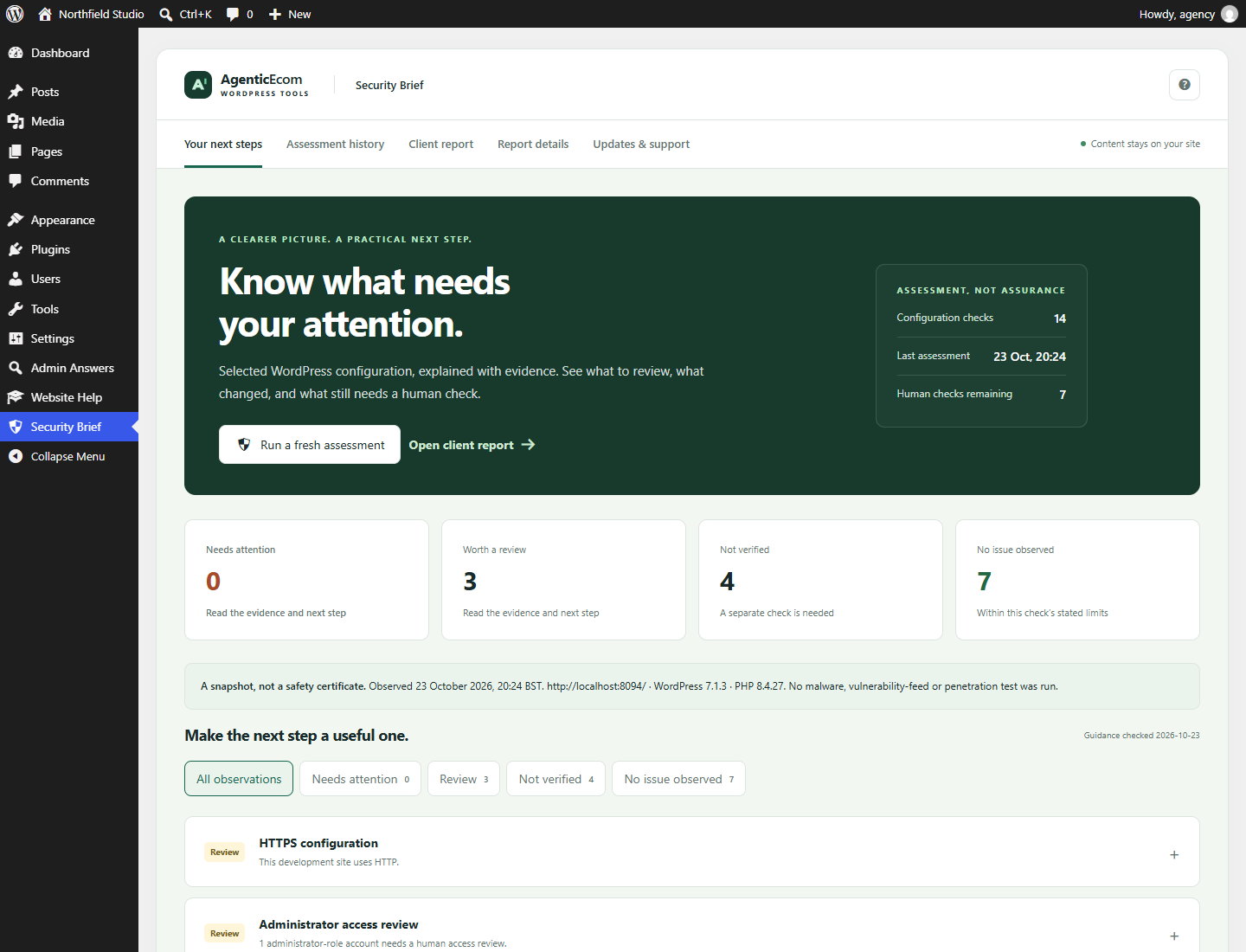
See selected WordPress configuration, the evidence behind it and what still needs a human check. Give the next conversation a useful starting point.
Made to be useful
the next time you need it.
Know what was observed
14 bounded configuration checks explain their evidence, next step and limits. Unknown areas stay visible.
Keep a dated record
Compare snapshots, record next-step notes and revisit the exact historical report. Keep the latest 12 assessments locally.
Make the report useful
Add business and contact details, then print or save a PDF with clear scope and limitations. No artificial safety score.
A few useful minutes
to get started.
- Open Security Brief and run a fresh assessment.
- Read each observation’s evidence, limitations and next step. A not-verified area requires a separate check.
- Add a local next-step note where helpful. A note never changes the observation status.
- Set the business/prepared-by/contact details under Report details.
Know what this release covers.
Administrator access (manage_options) is required. This is a limited configuration review, not a security certificate, malware scanner, firewall, penetration test or vulnerability-feed service. Backup restore, account-level 2FA and malware/vulnerability coverage are not independently verified. No automatic setting changes are made. Core/plugin/theme update observations use WordPress’s cached metadata. Reverse proxies and hosting policies can require human interpretation. PHP support guidance was checked on 23 October 2026 and becomes not verified after 90 days without a guidance update. History is local and is not tamper-evident. No scheduled scans or email alerts. English interface. Multisite network activation is not supported.
Before you install.
Does this require the other AgenticEcom plugins?
No. Each plugin is standalone. Admin Answers is free for everyone and can be installed alongside either paid tool.
Will this change my site’s permissions or content?
Existing WordPress capabilities apply. Assessments save their own snapshots and notes. No site security settings are changed automatically.
What happens after 12 months?
Installed functionality continues. Renewal is optional and quoted separately. Valid purchases retain access to versions first released during their update term. Refunded or revoked purchases do not receive future service downloads or updates.
What data leaves WordPress?
Assessment history (latest 12), evidence, site address, runtime versions, notes and report contacts stay in your WordPress database. Exports and reports may contain private configuration details. No scan fleet, vulnerability API or analytics is contacted. Optional purchase connection sends only your key, product identifier and site address to AgenticEcom over HTTPS for update access. Deactivation keeps data; deleting the plugin removes its own history, notes, branding, purchase connection and cached entitlement check.
Make your next WordPress
job a little easier.
Business users: check the guide and supported scope before purchasing. All prices shown include applicable tax. Paddle handles payment.