
A handover that helps
after you have handed over.
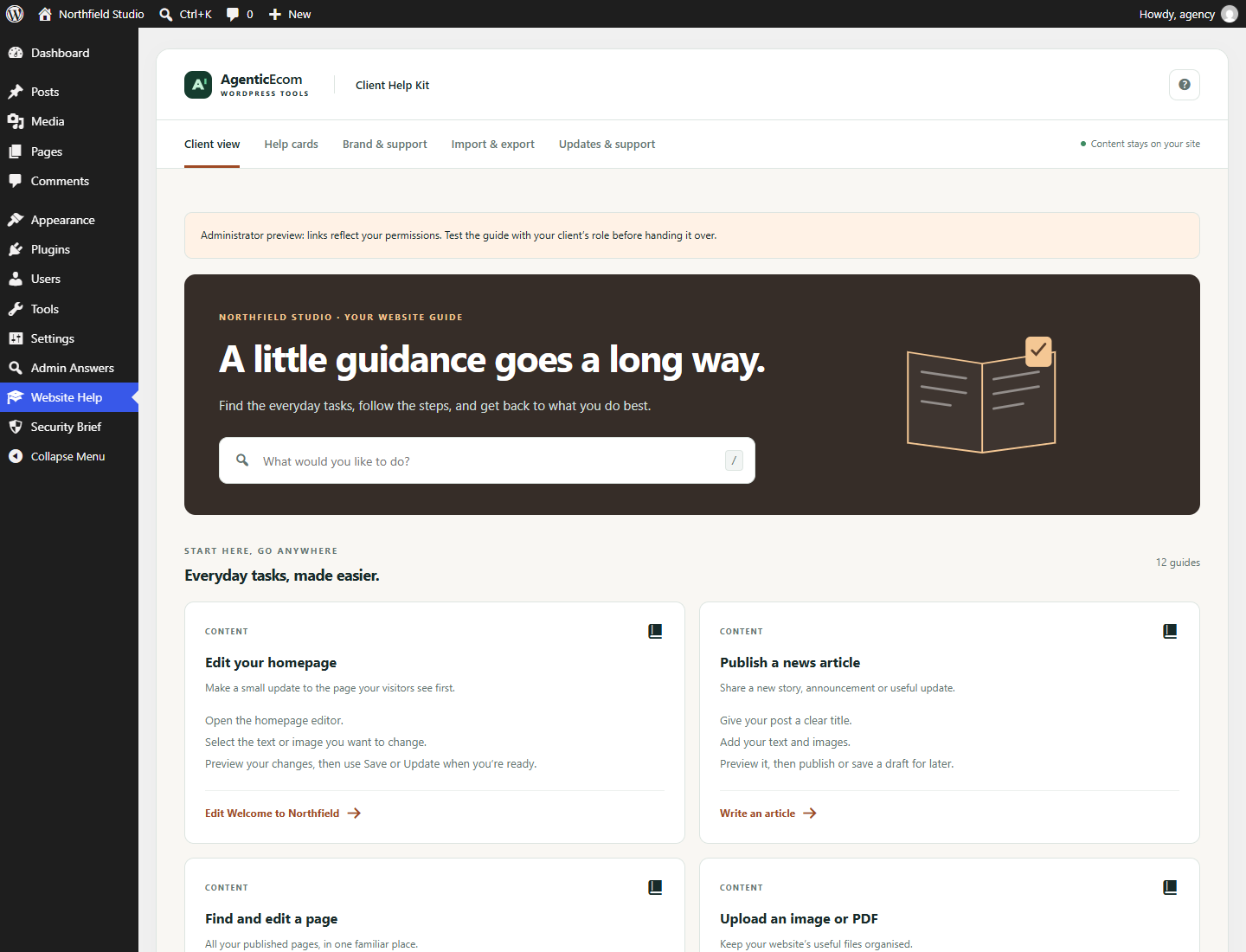
Give clients a clear guide to their own website. Short instructions. Familiar words. A button that opens the exact page they need.
Made to be useful
the next time you need it.
Start with the everyday jobs
12 editable starter cards cover the familiar questions. Keep the useful ones and tailor the rest.
Link to their real pages
“Change your opening hours” can open the opening-hours page directly. WordPress still checks each reader’s permissions.
Carry the good work forward
Export a guide, import its cards on the next site and review the destinations. Keep that site’s own branding and contacts.
A few useful minutes
to get started.
- Open Website Help → Brand & support. Set a recognisable name and monitored support contact.
- Under Help cards, edit the starter guidance to match the site. Add an exact page for tasks such as changing opening hours.
- Choose the guide audience. This controls who can read the guide; it does not grant any WordPress permissions.
- Open Client view and test each destination. Then test with a real client role: administrators can see links that an editor cannot use.
Know what this release covers.
Management requires manage_options. The reader defaults to users who can edit posts; administrators may choose page editors or all signed-in users. Destination permissions are checked for the reader. Up to 100 cards; imported JSON up to 64 KB; body up to 4,000 characters. English interface; no embedded videos, logo upload, permission editor or third-party page-builder integrations. The exact-page selector lists up to 500 accessible pages. Multisite network activation is not supported.
Before you install.
Does this require the other AgenticEcom plugins?
No. Each plugin is standalone. Admin Answers is free for everyone and can be installed alongside either paid tool.
Will this change my site’s permissions or content?
Existing WordPress capabilities apply. Only the guide’s own cards, contacts and settings are edited. Your website pages are not changed.
What happens after 12 months?
Installed functionality continues. Renewal is optional and quoted separately. Valid purchases retain access to versions first released during their update term. Refunded or revoked purchases do not receive future service downloads or updates.
What data leaves WordPress?
Cards, branding, contacts and audience settings stay in this WordPress database. Exports may contain private instructions, email addresses and site-specific URLs. No usage analytics are collected. Optional purchase connection sends the purchase key, product identifier and site address to AgenticEcom over HTTPS to verify downloads/update entitlements. Background update checks follow only after you connect. Deactivation keeps data; deleting the plugin removes its own settings, local purchase connection and cached entitlement check.
Make your next WordPress
job a little easier.
Business users: check the guide and supported scope before purchasing. All prices shown include applicable tax. Paddle handles payment.