
The answer is already
in your WordPress site.
Admin email. PHP version. Upload limits. Find the useful details in one calm place, understand what they mean and jump straight to the right screen.
Made to be useful
the next time you need it.
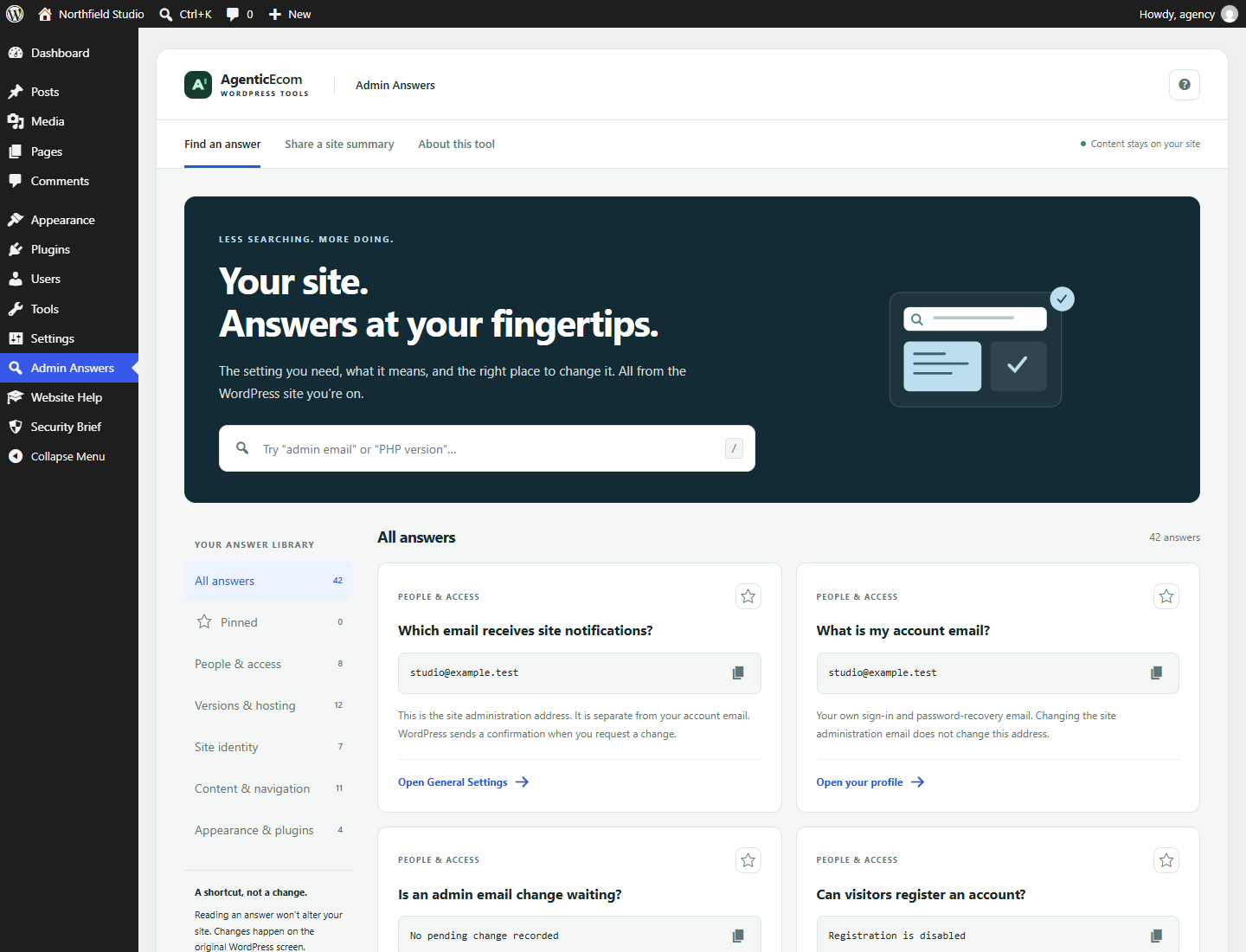
Ask in your own words
Search a curated set of 42 core answers, from “admin email” to “where do I find my PHP version”.
See your actual values
A shortcut to the setting is useful. Seeing the current value and its meaning saves another trip.
Keep the useful details
Pin your frequent answers and download a support summary, with email addresses excluded by default.
A few useful minutes
to get started.
- Open Admin Answers in the administrator menu.
- Try a question such as “where do I find my admin email in WordPress”. Search matches the curated answers; it does not index every third-party settings screen.
- Pin an answer with the star, copy its value or open the linked settings screen.
- Under Site summary, review the fields, choose whether to include email addresses, then download the text file. Review the file before sharing.
Know what this release covers.
Administrator access (manage_options) is required. Core WordPress settings only; third-party plugin settings are not indexed. This is a read-only reference apart from your own pins. Cached WordPress update information can be stale. No edits, diagnostics scans or automatic fixes are performed.
Before you install.
Does this require the other AgenticEcom plugins?
No. Each plugin is standalone. Admin Answers is free for everyone and can be installed alongside either paid tool.
Will this change my site’s permissions or content?
Existing WordPress capabilities apply. The only saved preference is your own pinned answers. Values are read from the site.
What happens after 12 months?
Admin Answers has no paid term or purchase key.
What data leaves WordPress?
Pins are stored in your user metadata. No external service, account, payment or analytics is required. Values are read from WordPress locally. Exported summaries are created in your browser. Deactivation keeps pins; deleting the plugin removes its own pin metadata.
Find the answer. Get on with your day.
Download the complete free plugin. WordPress.org listing is not yet submitted; this is a direct ZIP installation.