
01
Connect the accounts you own
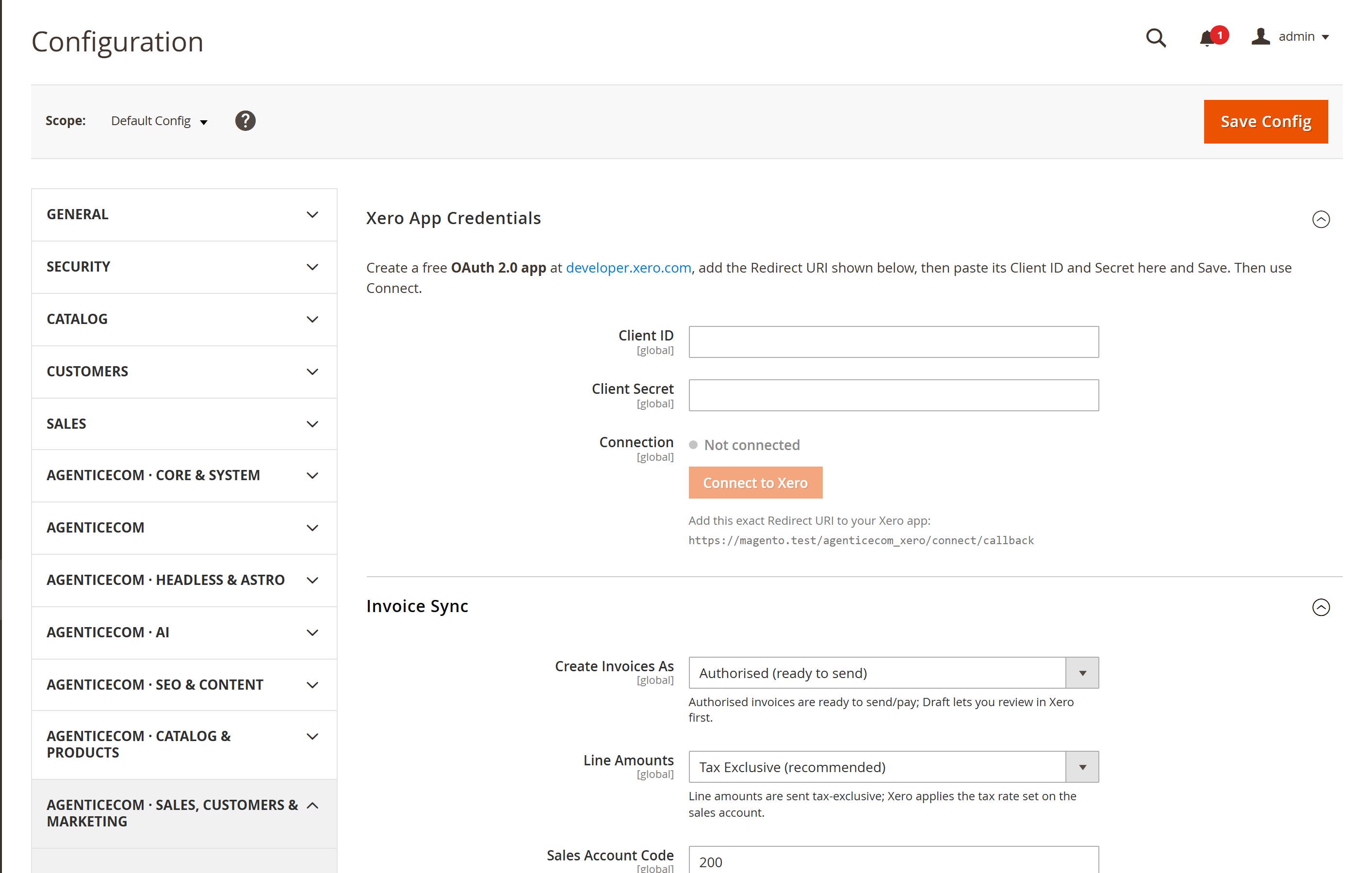
Use your own Xero application and OAuth connection. Match or create customers by email and configure the Xero sales account for tax handling.
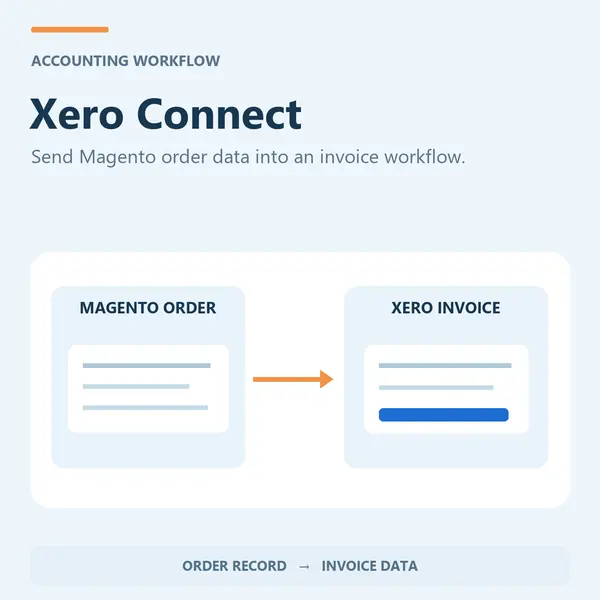
Move Magento orders into Xero as invoices using your own secure connection. Push a single order, selected orders or configure automatic processing.
A Xero account and application are required. Review tax mappings and uncertain retries; do not assume every retry is safe.
For Magento Open Source 2.4.9. Review the module guide for installation, dependencies and frontend integration requirements. We can help check the fit with your existing store.
Use your own Xero application and OAuth connection. Match or create customers by email and configure the Xero sales account for tax handling.
Push one order, a bulk selection or all orders automatically. Successful invoice IDs skip ordinary repeats; review uncertain retries before pushing again.
Check the module guide, supported version and setup requirements for your store.
Install and configure on staging. Test the workflows that matter to your team.
Deploy the tested configuration and use the included support when you need help.
Review the supported version and module guide, and test on staging with your current theme and extensions. Luma presentation and headless integration requirements vary by module; contact us if you need help checking compatibility.
The one-time licence includes 12 months of updates and priority support. Purchased versions remain usable. Renewal is optional and never billed automatically; see the current purchase terms for eligibility and renewal details.
Yes. AgenticSuite includes the Astro storefront and all headless and Luma-compatible modules listed on this website. You can buy this module for the store you run today, or discuss the complete platform for a frontend rebuild.
Latest release: Version 1.0.3
Xero Connect is a Magento 2 module that syncs Magento orders to Xero as invoices in one click, mapping customers, line items, tax and payment details so your accounts stay current without manual re-keying.
Every sale you make has to land in your accounts — and for most stores that means someone re-keying orders into Xero by hand, or paying for a brittle middleware subscription that breaks on every Magento upgrade. Xero Connect pushes a Magento order to Xero as a proper invoice in one click, matches or creates the customer for you, and records the Xero invoice ID so an already-synced order is skipped on an ordinary repeat. Check Xero before retrying an uncertain result. Your books stay current without the copy-and-paste.
OAuth 2.0 secure connect · One-click order → invoice · Single, bulk & automatic · Recorded invoice IDs · Bring your own Xero app · Encrypted credentials · Check release-specific Magento and PHP compatibility
| Connect in minutes with OAuth 2.0 | Create a free Xero app, paste in your Client ID and Secret, click Connect to Xero and authorise your organisation. No certification, no app-store listing, no per-order fees. |
|---|---|
| Push the way that suits you | Send a single order from its detail page, select many in the Orders grid and push in bulk, or switch on Auto-Push to send each order the moment its Magento invoice is created. |
| Repeat handling | After a confirmed success, the Xero invoice ID is stored against the order and an ordinary repeat is skipped. If a response fails or two pushes overlap, check Xero for an existing invoice before retrying. |
| Customers handled for you | Buyers are matched to an existing Xero contact by email, or created automatically if they are new — so your contact list stays clean without manual tidying. |
Protect your accounting connection. Xero Connect uses OAuth 2.0, so Magento never stores a Xero password — only tokens you can revoke at any time from your Xero account. Those access and refresh tokens, and your app’s Client Secret, are all stored with Magento’s encrypted configuration backend and decrypted only when a sync runs. The authorisation flow is protected by a one-time state value to prevent CSRF, and because you connect with your own Xero app there is no third-party server in the middle that can see your data.
| Connection | OAuth 2.0 to Xero using your own Xero app (no certification or app-store listing required) |
|---|---|
| Sync | Magento order → Xero sales invoice |
| Triggers | Single order, bulk from the Orders grid, or automatic on invoice creation |
| De-duplication | Idempotent — the Xero invoice ID is recorded on the order so it is pushed once |
| Contacts | Matched or created in Xero by customer email |
| Tax | Line amounts sent tax-exclusive; Xero applies the rate on the sales account |
| Configuration | Invoice status, sales and shipping account codes, optional auto-push |
| Security | Encrypted Client Secret and OAuth tokens; CSRF-protected authorisation |
| Delivery & licence | Composer install, per-domain licence key, updates via Composer |
| Compatibility | Check release-specific Magento and PHP support |
Part of the AgenticEcom suite for order operations — push, then manage every order’s notes, workflow and analytics in one place. Included in the complete AgenticEcom Suite.
No. You create a standard OAuth 2.0 app in your own Xero developer account, which is free and takes a few minutes. There is no certification process and no app-store listing — you connect Magento directly to your own Xero organisation.
After a confirmed sync, the saved Xero invoice ID causes an ordinary repeat to be skipped. A failed response or overlapping push can leave the outcome uncertain; check Xero before retrying.
Buyers are matched to an existing Xero contact by email address. If no contact exists, one is created automatically, so your Xero contact list stays in step with your store without manual tidying.
Line amounts are sent to Xero tax-exclusive, and Xero applies the tax rate configured on the sales account you map. That keeps VAT consistent with your Xero chart of accounts rather than re-deriving it in Magento.
Yes. Your Client Secret and the OAuth access and refresh tokens are stored using Magento’s encrypted configuration backend and decrypted only when a sync runs. The OAuth flow is CSRF-protected with a one-time state value.
Check release-specific Magento and PHP compatibility before installation.
Keep improving the store you run today. When you need a full frontend rebuild, AgenticSuite combines the Astro storefront, visual admin and included module collection.
Your source code.
Your data. Your direction.
Review the setup requirements, choose your module and get started. We’re here if you need to check the fit.