
01
Turn product attributes into a guided journey
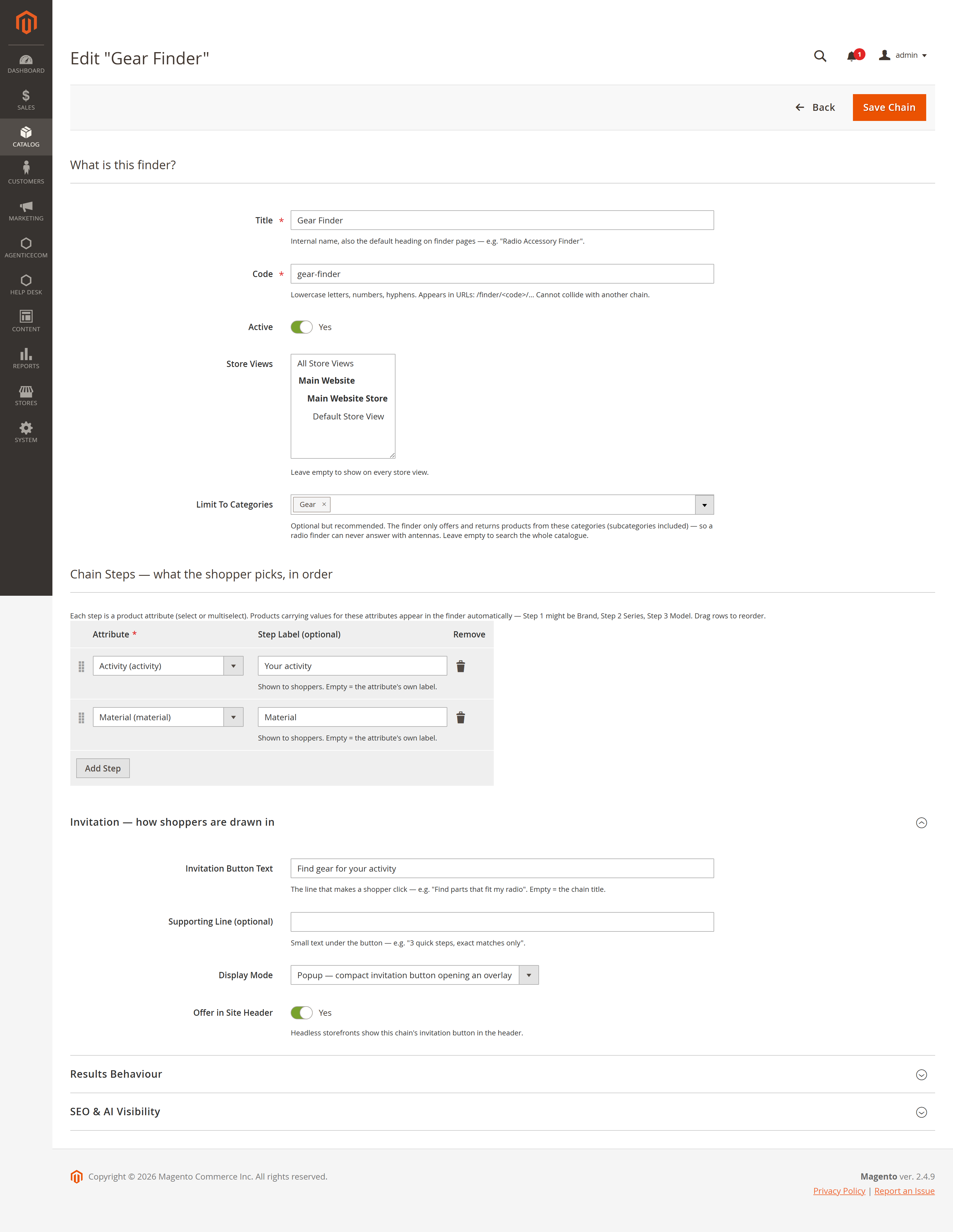
Configure a chain of questions around the attributes your catalogue already has. Scope the finder to categories, including descendants where configured.
Help buyers narrow a technical catalogue with a few useful questions. Build guided finders from product attributes and lead shoppers to matching products.
Search visibility depends on the catalogue, content and indexing configuration; rankings are not guaranteed.
For Magento Open Source 2.4.9. Review the module guide for installation, dependencies and frontend integration requirements. We can help check the fit with your existing store.
Configure a chain of questions around the attributes your catalogue already has. Scope the finder to categories, including descendants where configured.
Combination landing pages support filters, sorting and paging, with FAQ and structured-data support. A minimum-product indexing threshold helps control sparse result pages.
Check the module guide, supported version and setup requirements for your store.
Install and configure on staging. Test the workflows that matter to your team.
Deploy the tested configuration and use the included support when you need help.
Review the supported version and module guide, and test on staging with your current theme and extensions. Luma presentation and headless integration requirements vary by module; contact us if you need help checking compatibility.
The one-time licence includes 12 months of updates and priority support. Purchased versions remain usable. Renewal is optional and never billed automatically; see the current purchase terms for eligibility and renewal details.
Yes. AgenticSuite includes the Astro storefront and all headless and Luma-compatible modules listed on this website. You can buy this module for the store you run today, or discuss the complete platform for a frontend rebuild.
Also available on Adobe Commerce Marketplace
AgenticEcom store: v1.0.10 · Adobe Marketplace: v1.0.6.
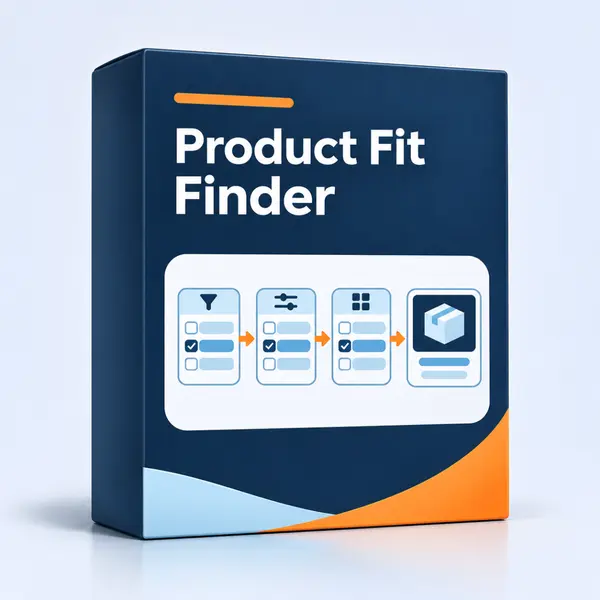
Product Fit Finder turns product attributes you already maintain in Magento into a guided, step-by-step product finder. Configure an ordered chain such as Brand, Series and Model, then let shoppers narrow the catalogue using the values assigned to your products.
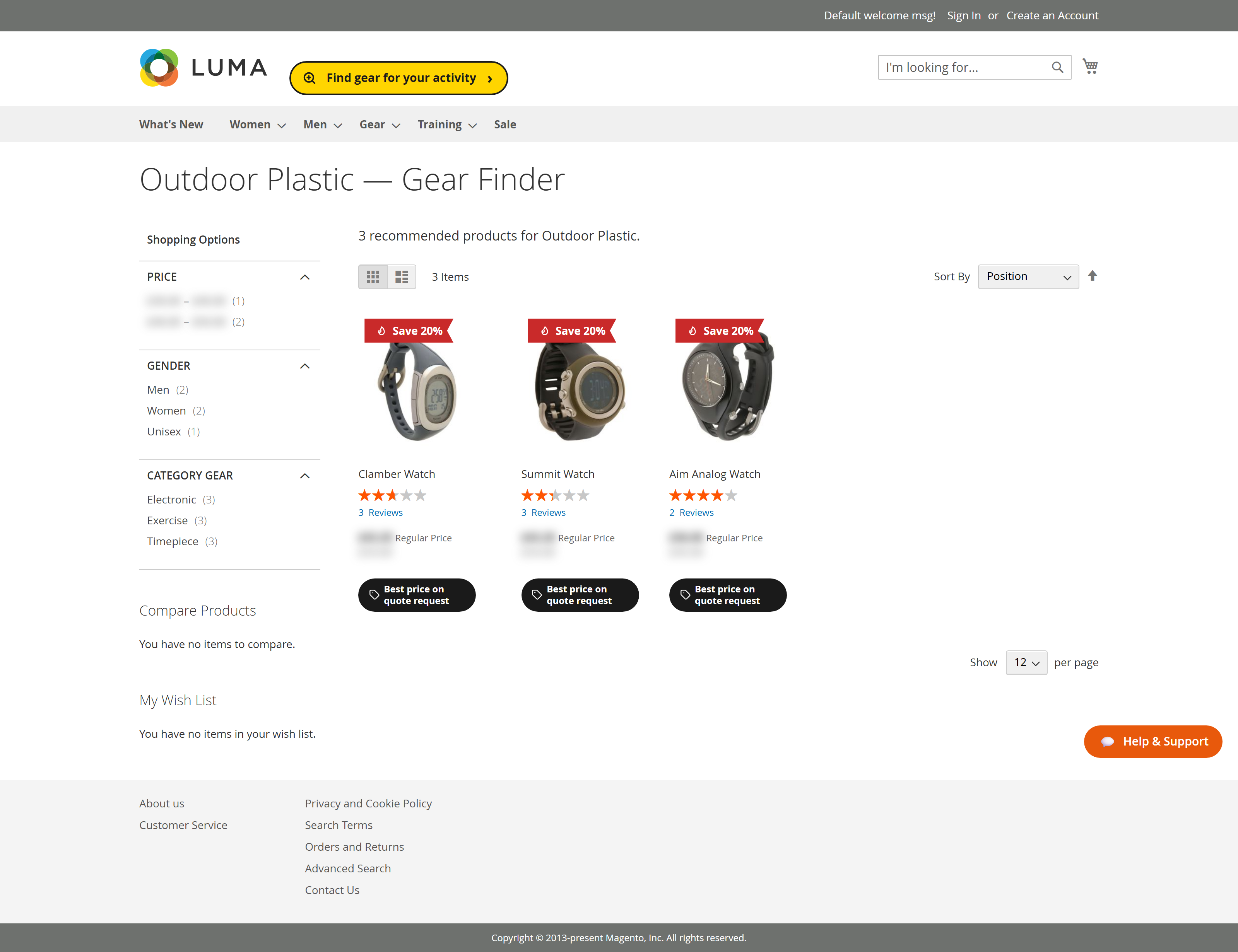
Show the available choices at each step, including the number of matching products. When a selection leads to one matching product, the finder can take the shopper directly to it. With multiple matches, results use Magento's Luma product listing, with the store's product cards, price ranges, attribute filters, sorting and pagination.
Optionally give product-selection combinations their own crawlable URL. Configure titles, explanatory text, structured data, sitemap inclusion and a noindex threshold for thin combinations. Product pages can also show a Fits section that links to relevant finder combinations.
Create finder chains from your catalogue attributes, choose their order and catalogue scope, and write the invitation shoppers see. Add the invitation to the Luma header or place it in content with a Magento CMS widget; choose a popup or inline presentation.
The finder uses ordinary select and multiselect product attributes, so fitment values remain part of your regular product data. The Luma Marketplace package works as a standalone Magento module; the separate Astro headless integration is not required for a Luma storefront.
Latest release: Version 1.0.10
Product Fit Finder 1.0.10 groups settings under Stores → Configuration → AgenticEcom · Catalog → ProductFitFinder. The direct release includes the Luma finder and a standalone GraphQL query for the current store view’s finder settings and active chains.
Read our Build a Guided Magento Product Finder from Reliable Technical Attributes for the task, native alternatives, supported scope and checks to make before choosing an extension or frontend route. Use the module setup guide for installation and configuration.
Keep improving the store you run today. When you need a full frontend rebuild, AgenticSuite combines the Astro storefront, visual admin and included module collection.
Your source code.
Your data. Your direction.
Review the setup requirements, choose your module and get started. We’re here if you need to check the fit.