
Build a Guided Magento Product Finder from Reliable Technical Attributes
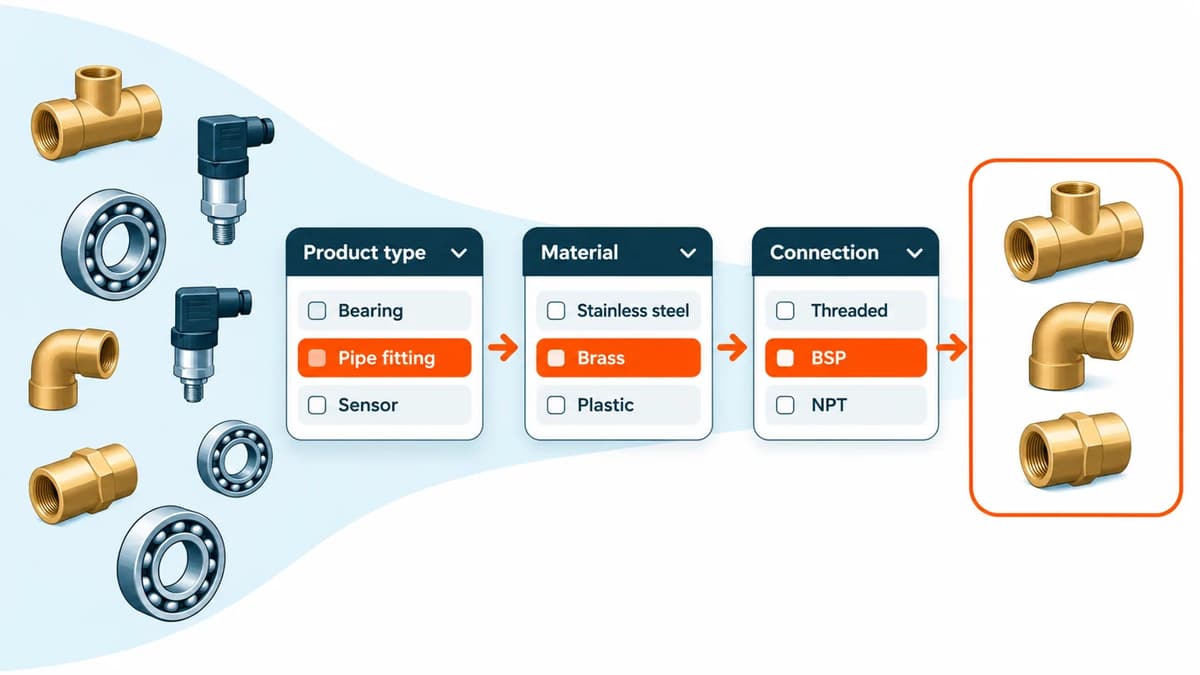
A guided product finder is useful when customers can answer a short sequence of technical questions more easily than they can interpret a long product list. Product Fit Finder turns ordinary select and multiselect product attributes into ordered questions, narrowing the catalogue after each answer.
The result is only as reliable as the stored data. A matching attribute value does not certify physical fit, infer a missing compatibility relationship or replace a manufacturer's specifications. Build the data and the customer questions together.
When layered navigation is enough
Magento's native layered navigation lets shoppers filter a category using configured attributes. Keep it when customers understand those filters and can choose them in any order. A finder is useful when an ordered chain such as equipment family → series → model makes the next decision clearer.
Do not add steps merely to make a catalogue feel guided. A single visible filter or a well-written category page may complete the task more directly. Ask a customer-facing colleague which questions they actually use to identify the right item.
Prepare the attributes before the interface
Choose stable attribute codes and consistent options. Avoid making “Series A”, “A series” and “Series-A” separate choices for the same equipment. Check how a part compatible with multiple models is represented, using the supported multiselect type where appropriate.
Product Fit Finder's Fitment Coverage report shows missing values for each chain step and links to products needing attention. High completion is useful, but it does not establish that the values are correct. Validate the underlying manufacturer mapping as well.
If definitions need creating or extending, do that separately from filling in product values. See attribute definitions versus product values and Adobe's product attribute reference.
Build a chain around a defined range
In Catalog → ProductFitFinder → Finder Chains, create a code, title and customer-facing invitation. Add the ordered attribute steps and label each question in language customers use. Scope it to the relevant categories and store views, then decide where the invitation belongs.
The module can use a Luma header invitation or CMS widget with popup or inline presentation. The category scope includes descendants. A single-result setting can take a shopper straight to the matching product; otherwise the result listing provides the store's filtering, sorting and paging controls.
Illustrative example: finding inspection accessories
This example is invented for explanation and has not been run as a new test. Suppose the range uses equipment family, series and model attributes. The manufacturer-confirmed mapping identifies two accessories for Model A and one for Model B.
- Create a small staging fixture containing those three accessories, an unrelated item and an item missing a model value. Record the expected matches independently of the finder.
- Build a chain scoped to Inspection Accessories, asking equipment family, then series, then model.
- Follow the Model A path and compare its count and result SKUs with the two expected accessories. Follow Model B and check the single-result behaviour you selected.
- Check that a combination with no qualifying products is not offered as an available choice. Use Coverage to locate the missing model value, rather than assuming the product is incompatible.
- Change an earlier answer and confirm later choices and results refresh. Repeat on a phone and with the store's real out-of-stock visibility settings.
The finder is designed to omit choices without matching products. Out-of-stock products can remain in results where the store displays them. Test your stock configuration rather than assuming an absent result means that no compatible product exists.
Which combinations deserve their own URL?
Combination landing pages are optional. Use them when a selection is a useful destination someone might revisit or share, with clear explanatory text and relevant products. Configure the indexing threshold, sitemap inclusion and public links; inspect the rendered canonical and noindex output.
A product count is a useful control, not proof that a page adds value. Several near-identical results can still be repetitive. Do not generate thousands of sparse pages merely to target variations of a query. Google's spam policies are relevant to doorway and scaled low-value content. Structured data and a sitemap do not guarantee indexing, rankings, rich results or AI citations.
Version and storefront boundaries
The current direct-store release is 1.0.9. The guide records installation, upgrade and compilation of the exact ZIP on Magento Open Source 2.4.9 / PHP 8.5.10, plus an isolated Luma invitation, two-step narrowing and matching-results check. Your attribute model and theme still need qualification.
The standalone module supplies Luma views and its own GraphQL settings/chains interface. It does not include the complete AgenticEcom Astro storefront component. Leave the headless frontend base URL empty for Luma; a separate headless integration must render and validate its own routes.
Review Product Fit Finder and its chain, coverage and storefront guide. Bring a small compatibility table and your intended questions to a fit discussion; they are more informative than a promise that a finder works with every catalogue.
This article describes AgenticEcom's own module. Reviewed for accuracy on 4 November 2026.
Product information reviewed 4 November 2026 by AgenticEcom. Illustrative examples are not customer results or new runtime tests.