
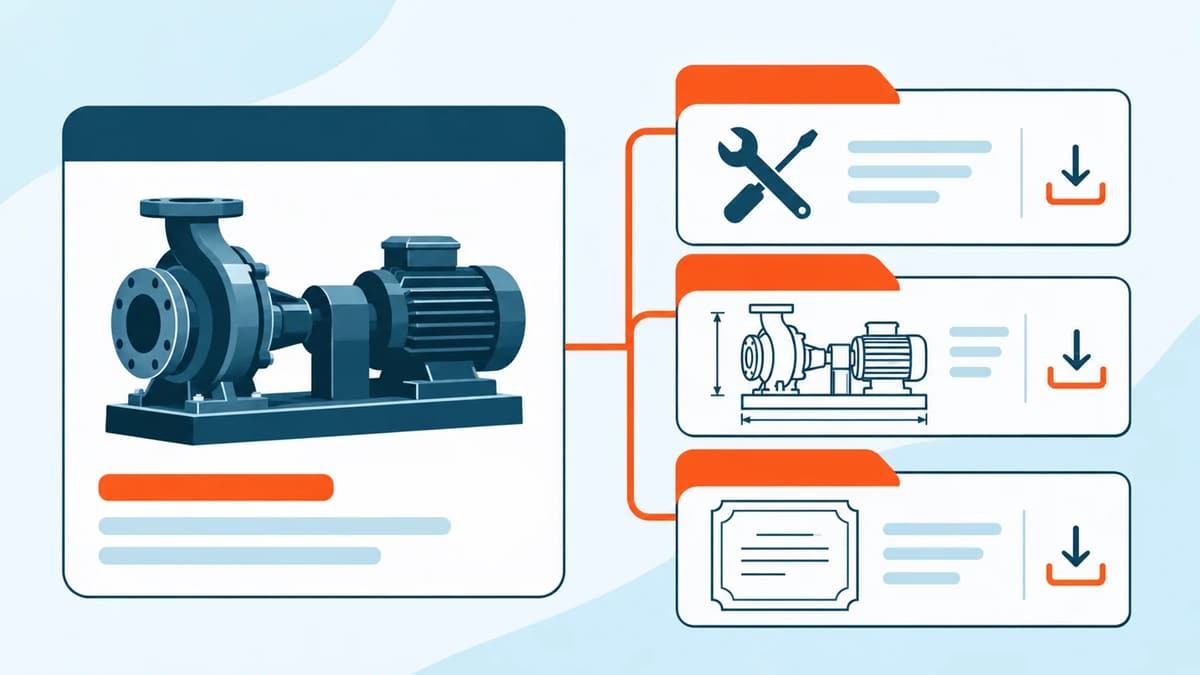
Add Manuals, Datasheets and CAD Downloads to Magento Product Pages
Put public technical files beside the products they explain, with clear titles and deliberate assignments. Product Documents provides a reusable library: one manual can appear on several products, and one product can carry a manual, datasheet, certificate or supported CAD file.
Uploaded files remain public by URL. Customer-group and store-view settings filter module listings and its tracked download route. They do not turn Magento's public media directory into private storage. Use separate access-controlled delivery for confidential documents and trade price lists.
A link can be enough
For a few public PDFs, a maintained product-description link may be sufficient. A managed library becomes useful when many products share documents, editors need consistent titles and ordering, or assignments must be reviewed centrally.
First decide who owns document accuracy. A module can display the assigned file, but it cannot establish that the manual's revision applies to a particular product or that a certificate is still valid. Record the model coverage, language and revision in your editorial process.
Create and assign a document
Open Catalog → Product Documents and add a record with a useful title, description, type and sort order. Upload a supported file or use an external HTTP(S) URL. Assign the relevant product SKUs, active status, store views and customer groups, then save.
Luma can display the documents in a product tab or inline section. Choose whether to show type, description, size and download count. A title such as “Inspection Camera X2 operating manual, revision C” gives the buyer more information than “Download PDF”. Check that the content matches the actual file.
Supported uploads include a configured subset of PDF, office documents, ZIP and supported CAD extensions. New uploads have a maximum of 20 MB; the configured or server limit can be lower. Do not assume every file extension or a large engineering archive will be accepted.
Illustrative example: one manual shared by two instruments
This is a proposed staging exercise, not a new runtime result. Suppose two variants of an inspection instrument use the same public manual, while one has a separate accessory drawing.
- Create one manual record and assign both product SKUs. Add the drawing as a separate record for the relevant variant only.
- Check both product pages in the intended store view. Confirm the shared manual appears twice through one maintained record and the drawing appears only where applicable.
- Restrict the manual's module visibility to a chosen customer group for the exercise. Compare guest and group-member listings and the tracked link.
- Open the underlying uploaded media URL separately. Its public accessibility is expected; the group setting is not a confidentiality control.
- Review the download count before and after the tracked route. Visit the direct media URL separately and distinguish that visit from module-tracked activity.
Use public or disposable files for this exercise. Do not upload a confidential document to “test” whether a public-media setting protects it.
What a tracked download means
The Luma tracked route rechecks active state, store and customer group, increments the count and redirects to the file or external URL. The count records this module's tracked activity; it is not proof that the document was fully transferred, read or understood, nor a count of unique people.
For a headless storefront, the GraphQL document query returns metadata filtered to the current store and customer group. The separate trackDocumentDownload mutation can increment the count for a visible document. Direct media and external URL visits are not automatically counted. The headless frontend must implement its own display and counting calls.
CSV refers to files already on the server
The documented import uses sku,pdf_file, with optional title,doc_type. The referenced file must already exist below pub/media/productdocs. The CSV does not contain the file binary or upload it from an editor's laptop.
Missing files, unsupported paths and outside-directory references are skipped and reported. Test a small mapping first, checking both product SKUs and the displayed file. Keep a record of skipped rows so an incomplete batch is not mistaken for a finished library.
Current release and fit questions
The current direct-store version is 1.0.5. The product records exact 1.0.3 package checks on Magento Open Source 2.4.9 / PHP 8.5.10, including Luma display, filtering, tracked redirects and upload policy. The guide also records 1.0.4 standalone Admin checks. These are dated release checks, not new tests performed for this article.
Before choosing the module, confirm your files are public, your required types and sizes are supported, and your Luma or headless presentation is covered. Check representative documents after a revision and inspect any external link you rely on.
Review Product Documents and its upload, CSV and GraphQL guide. If your main difficulty is helping buyers select a compatible model first, see guided product selection.
This article describes AgenticEcom's own module. Reviewed for accuracy on 4 November 2026.
Product information reviewed 4 November 2026 by AgenticEcom. Illustrative examples are not customer results or new runtime tests.