
01
Design and target the message
Create labels in Magento Admin and select products using SKU, category or attribute rules. Schedule when labels should appear.
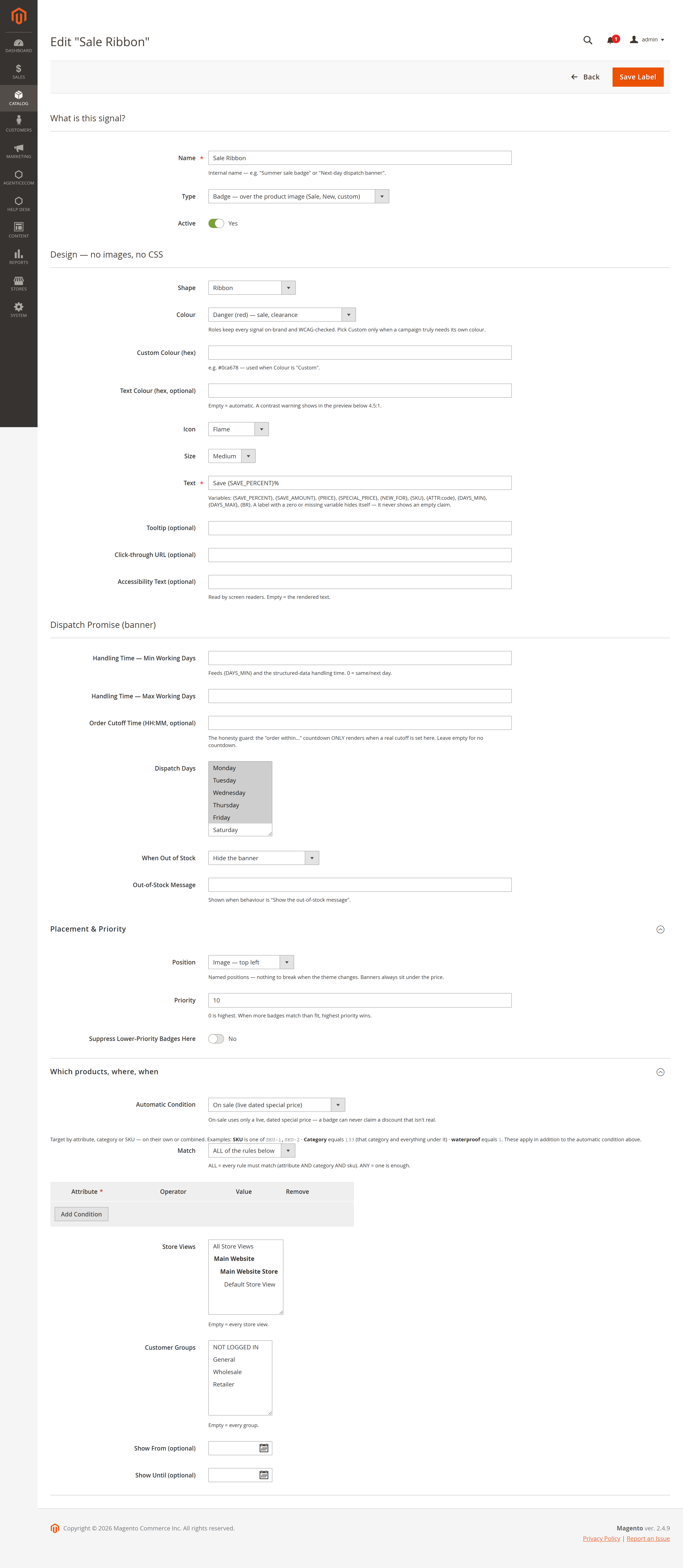
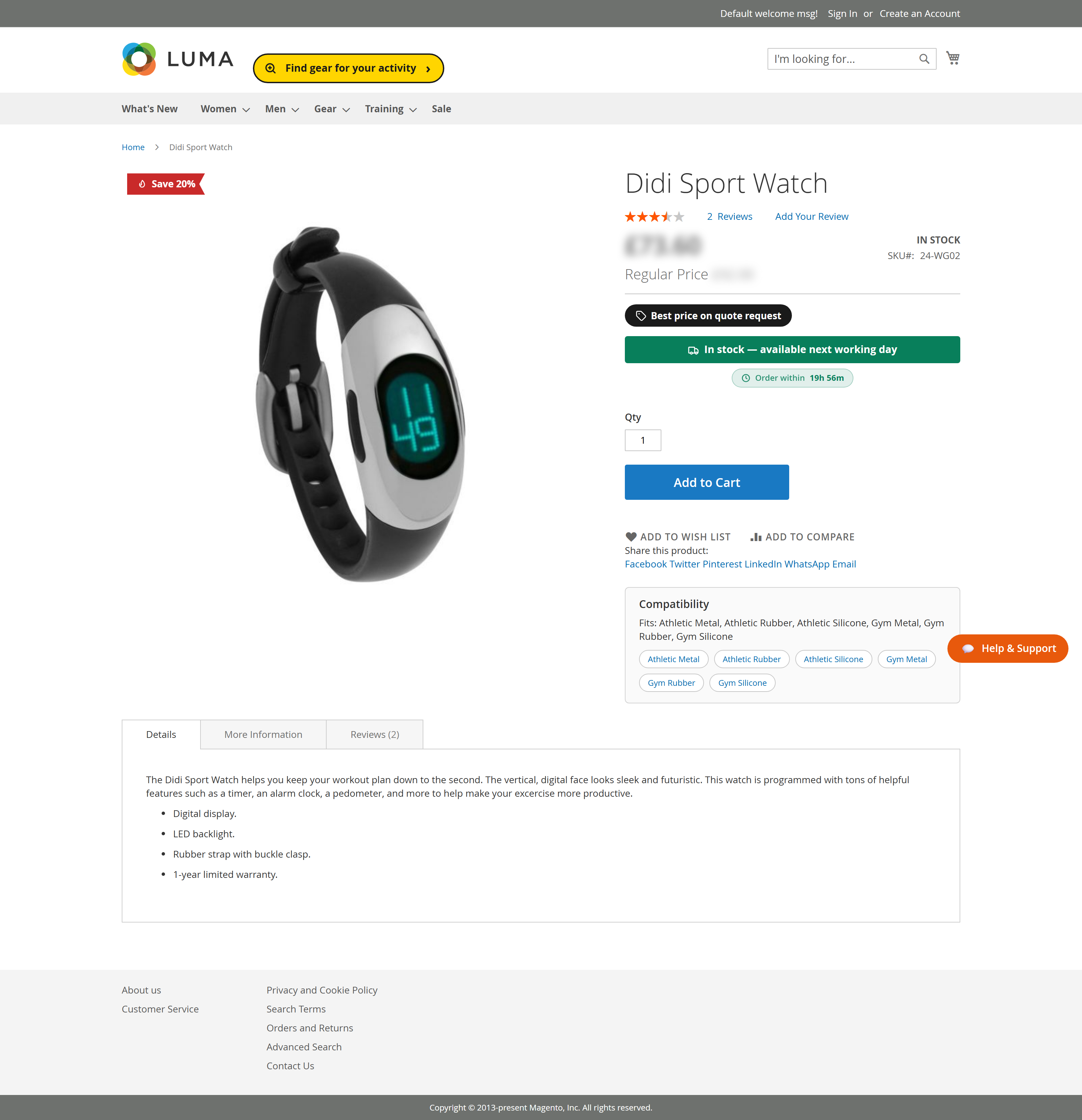
Make useful product messages visible in your Luma store. Design badges and dispatch banners, choose the products and shoppers they apply to, and schedule their appearance.
The full Astro product-shell adapter is a separate integration. The module does not supply that complete adapter.
For Magento Open Source 2.4.9. Review the module guide for installation, dependencies and frontend integration requirements. We can help check the fit with your existing store.
Create labels in Magento Admin and select products using SKU, category or attribute rules. Schedule when labels should appear.
Show badges on product pages and catalogue cards, with dispatch banners and current-shopper-group targeting. GraphQL product signals support separate integration work.
Check the module guide, supported version and setup requirements for your store.
Install and configure on staging. Test the workflows that matter to your team.
Deploy the tested configuration and use the included support when you need help.
Review the supported version and module guide, and test on staging with your current theme and extensions. Luma presentation and headless integration requirements vary by module; contact us if you need help checking compatibility.
The one-time licence includes 12 months of updates and priority support. Purchased versions remain usable. Renewal is optional and never billed automatically; see the current purchase terms for eligibility and renewal details.
Yes. AgenticSuite includes the Astro storefront and all headless and Luma-compatible modules listed on this website. You can buy this module for the store you run today, or discuss the complete platform for a frontend rebuild.
Also available on Adobe Commerce Marketplace
AgenticEcom store: v1.0.11 · Adobe Marketplace: v1.0.11.
Latest release: Version 1.0.11
LabelsPro helps your team create product badges and banners in Magento Admin, then apply them to the products they describe. A clear label can draw attention to a product detail without editing each product photograph.
Use real prices, stock and handling information for sale or dispatch messages. Review a scheduled message when the underlying offer or delivery position changes. The linked user guide covers setup and the current installation route.
Read our Add Magento Product Labels with Accurate Rules, Schedules and Placement for the task, native alternatives, supported scope and checks to make before choosing an extension or frontend route. Use the module setup guide for installation and configuration.
Keep improving the store you run today. When you need a full frontend rebuild, AgenticSuite combines the Astro storefront, visual admin and included module collection.
Your source code.
Your data. Your direction.
Review the setup requirements, choose your module and get started. We’re here if you need to check the fit.