
01
Export more than the page text
Carry full HTML content, SEO metadata, page layout and store-view scope in RFC-4180 CSV.
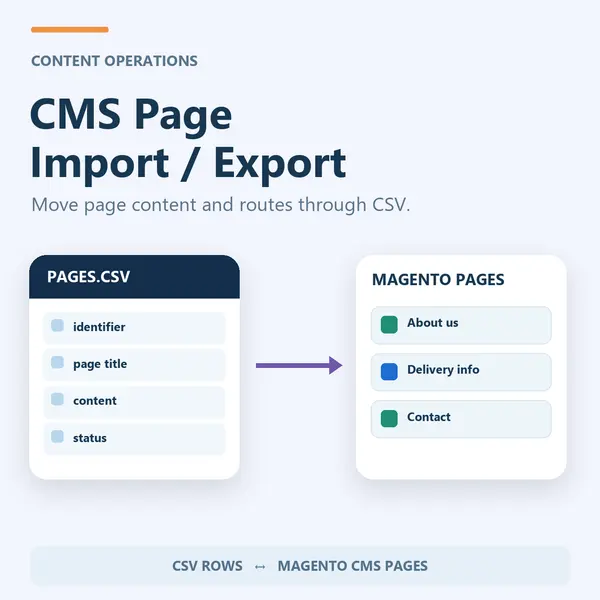
Move Magento CMS pages through CSV without rebuilding each page. Carry HTML, metadata, page layout and store-view scope into your content workflow.
For Magento Open Source 2.4.9. Review the module guide for installation, dependencies and frontend integration requirements. We can help check the fit with your existing store.
Carry full HTML content, SEO metadata, page layout and store-view scope in RFC-4180 CSV.
Import to create or update pages in place. Basic filtering covers common active script patterns; review imported HTML before publishing.
Check the module guide, supported version and setup requirements for your store.
Install and configure on staging. Test the workflows that matter to your team.
Deploy the tested configuration and use the included support when you need help.
Review the supported version and module guide, and test on staging with your current theme and extensions. Luma presentation and headless integration requirements vary by module; contact us if you need help checking compatibility.
The one-time licence includes 12 months of updates and priority support. Purchased versions remain usable. Renewal is optional and never billed automatically; see the current purchase terms for eligibility and renewal details.
Yes. AgenticSuite includes the Astro storefront and all headless and Luma-compatible modules listed on this website. You can buy this module for the store you run today, or discuss the complete platform for a frontend rebuild.
CMS Page Import / Export is a Magento 2 module that turns every CMS page into a row in a plain CSV file, so pages can be exported, edited in a spreadsheet or version-controlled in git, then imported back to create or update pages in place.
The native CMS Pages grid does not provide this module's CSV handover workflow. Moving pages between environments or store views can otherwise require manual editing, custom scripts or a separate migration tool. Recreating them by hand after a rebuild - or duplicating a set of landing pages across five store views - means copying HTML through the editor one page at a time, and losing the SEO metadata and layout settings on the way.
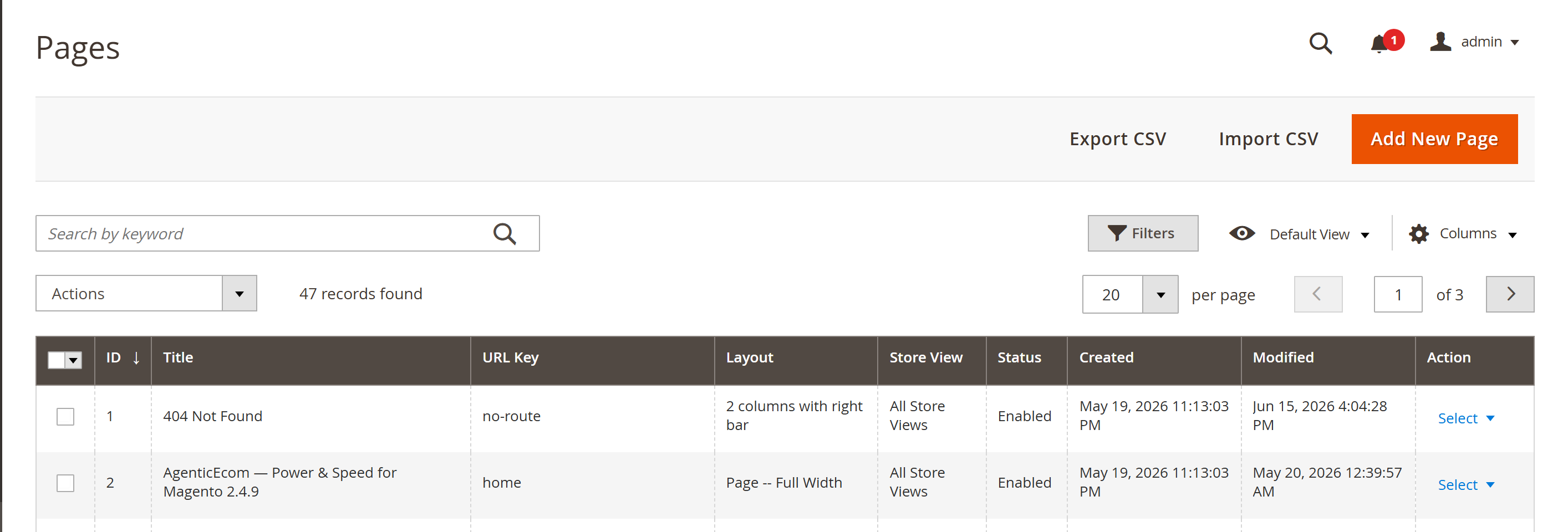
identifier within the scope and updated in place; new identifiers are createdExport the pages to CSV from the Pages grid, edit the rows in a spreadsheet, then import the file with the Add / Update behaviour. Pages are matched on their identifier within the chosen store scope, so edited rows update the existing page and any new identifier creates a new page.
Yes. Export from one store view, then import the same file targeting a different store view. The import scope is chosen at upload time, so the same content can be pushed into as many store views as you need.
No — this module handles CMS pages. CMS blocks are covered by the separate CMS Block Import / Export module, which uses the same CSV approach.
Check release-specific Magento and PHP compatibility before installation.
Part of the complete platform — one of 40+ modules in the AgenticEcom Suite.
Pages are matched by identifier within the chosen store scope, so a second import updates those pages in place rather than creating duplicates — one identifier per scope maps to one page.
Yes. Export from store A, then import choosing store B as the target scope. You can also target multiple store views from a single file using the stores column (default|fr|es, or all).
The importers remove common script patterns, inline event-handler attributes and active URL schemes. This is basic filtering, not a complete HTML sanitizer. Trusted CMS editors should review imported markup and check supported styles, Page Builder content and embeds against the current guide.
Upload them to pub/media/cmspages/ and reference them by URL in your page HTML (e.g. /media/cmspages/banner.jpg). The CSV carries the HTML and the URLs, not the image binaries.
This module provides a Magento Admin import and export workflow, with no module-specific public REST or GraphQL endpoint. Restrict access through Magento Admin permissions and use trusted editors. Check the release-specific Magento and PHP verification record.
Latest release: Version 1.0.4
Read our Move Magento CMS Blocks and Pages by CSV: Scope, HTML and Media for the task, native alternatives, supported scope and checks to make before choosing an extension or frontend route. Use the module setup guide for installation and configuration.
Keep improving the store you run today. When you need a full frontend rebuild, AgenticSuite combines the Astro storefront, visual admin and included module collection.
Your source code.
Your data. Your direction.
Review the setup requirements, choose your module and get started. We’re here if you need to check the fit.